
If MySQL suddenly stops working on your XAMPP, you are not alone. This is one of the most common errors faced by XAMPP users. In this guide, we will explain exactly why this happens and how to fix it.
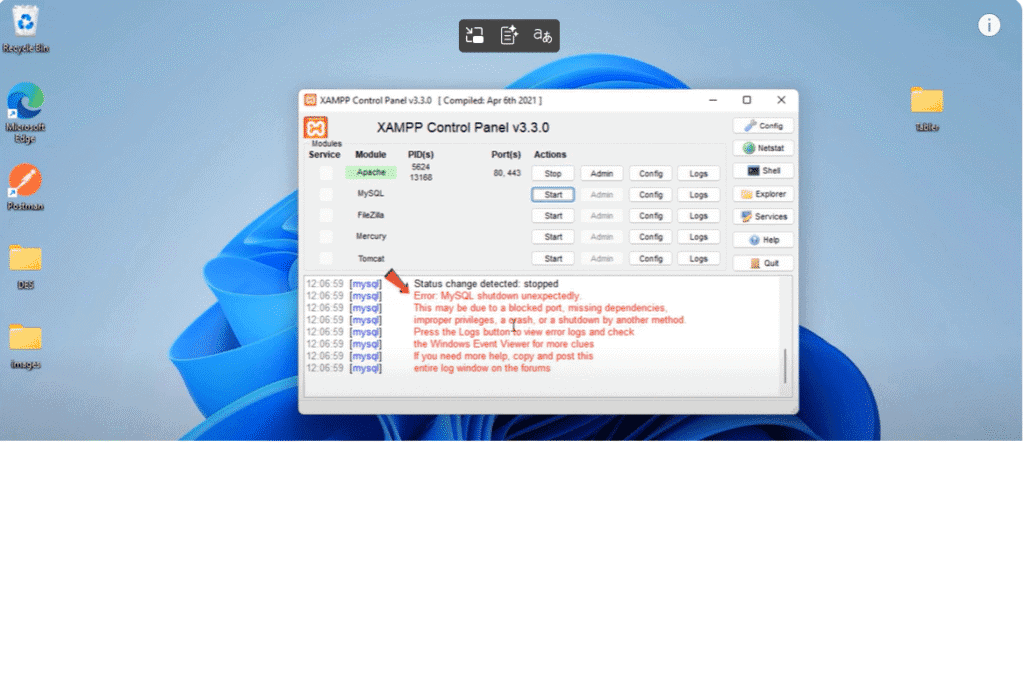
kind of error on xampp
Step 1.
sequel my sequel shutdown unexpectedly to solve this go to file explorer
an open C drive then open xampp folder
Then go to MySQL folder
Step 2.
once you reach inside this MySQL folder
rename this data folder to anything else
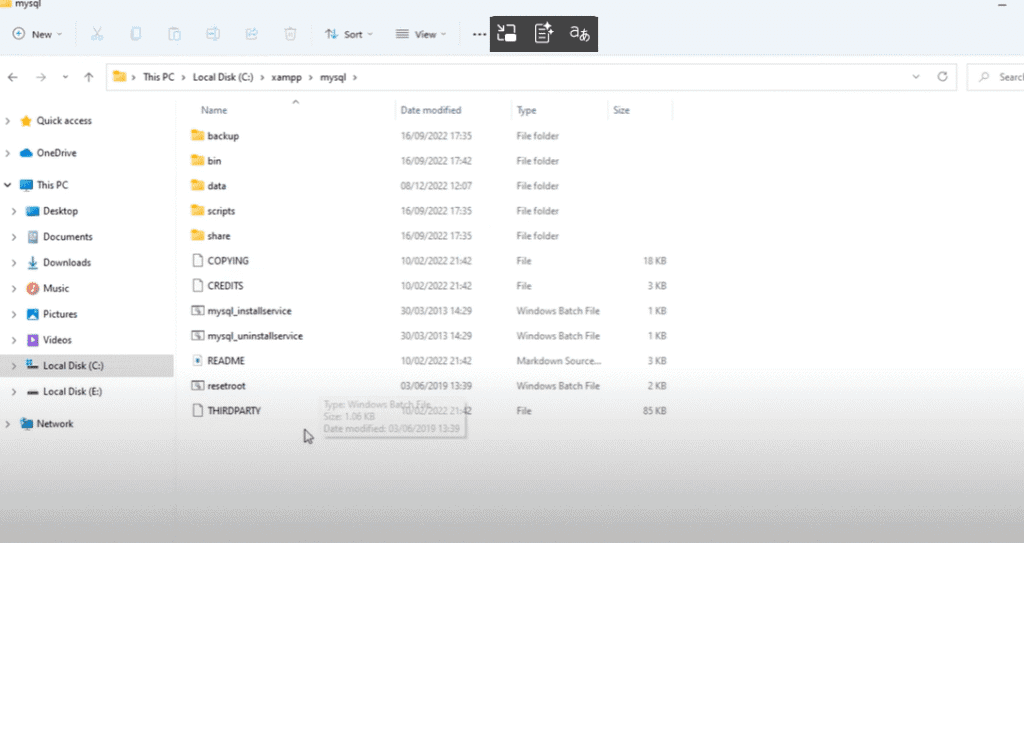
and create new folder and rename to data
after that open this backup folder
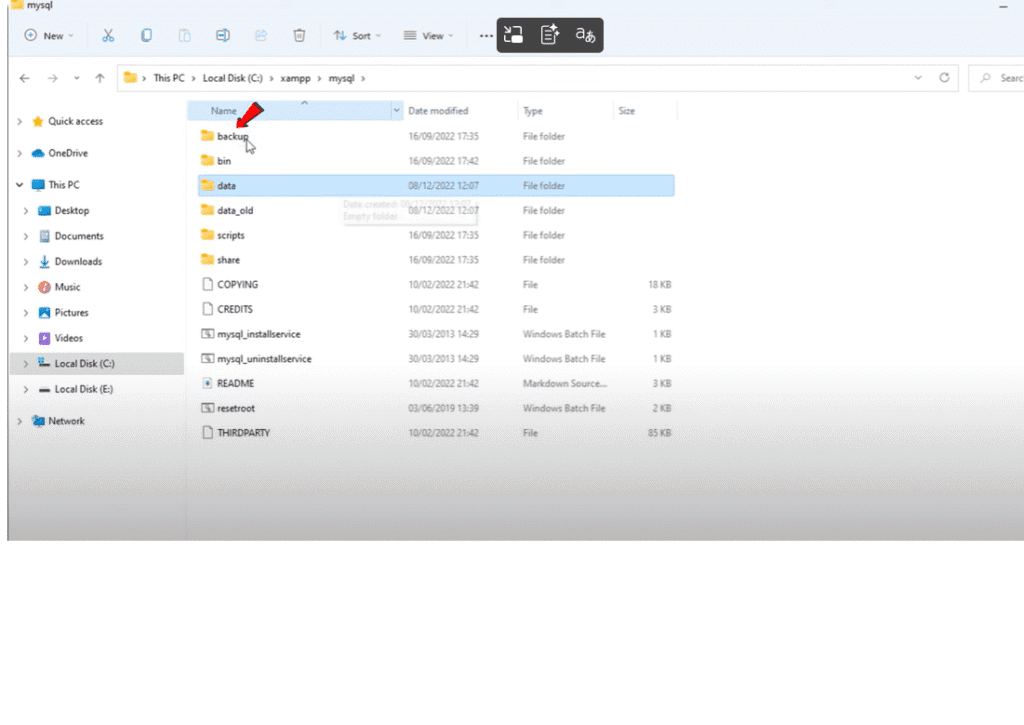
and copy whole files and folders inside
this backup folder except this file
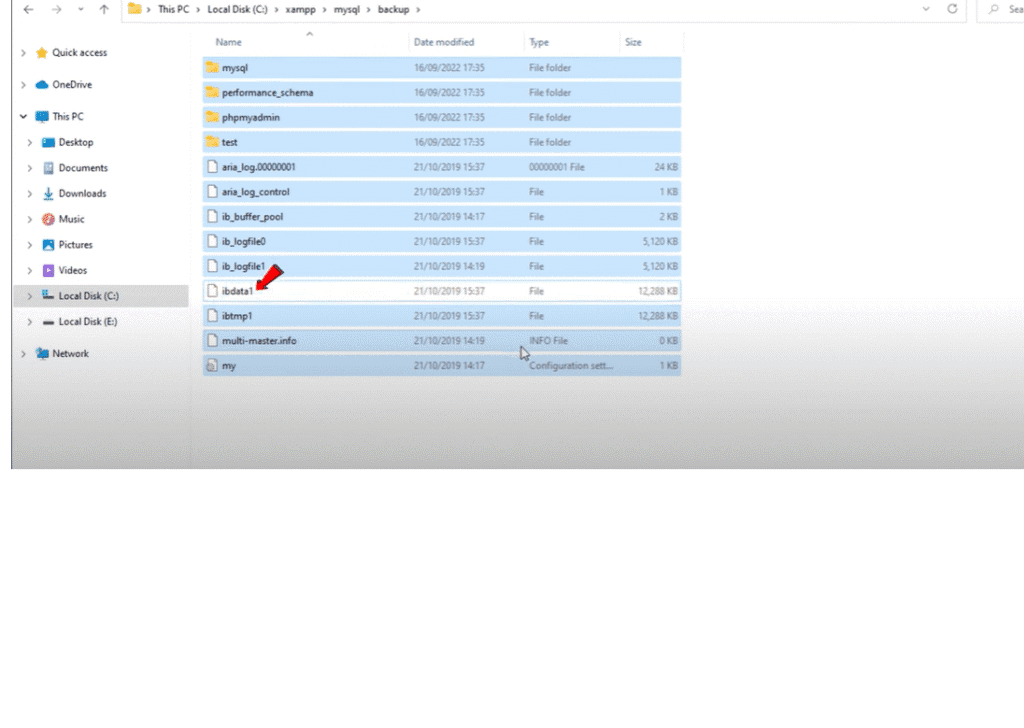
step 3.
and paste those files and folders inside
this new data folder
after pasted those copied files and
Step 4.
folders open old data folder
and select and copy whole files and folders inside this
then paste them inside this new data Folder.
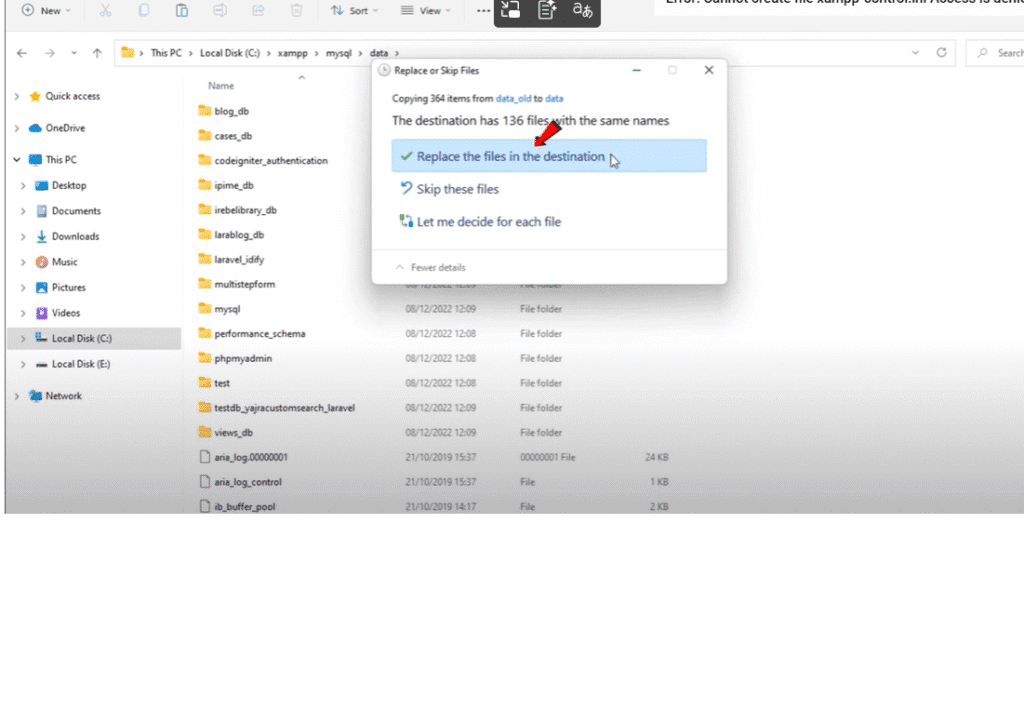
do not replace the existing files while you’re pasting
just skip these files
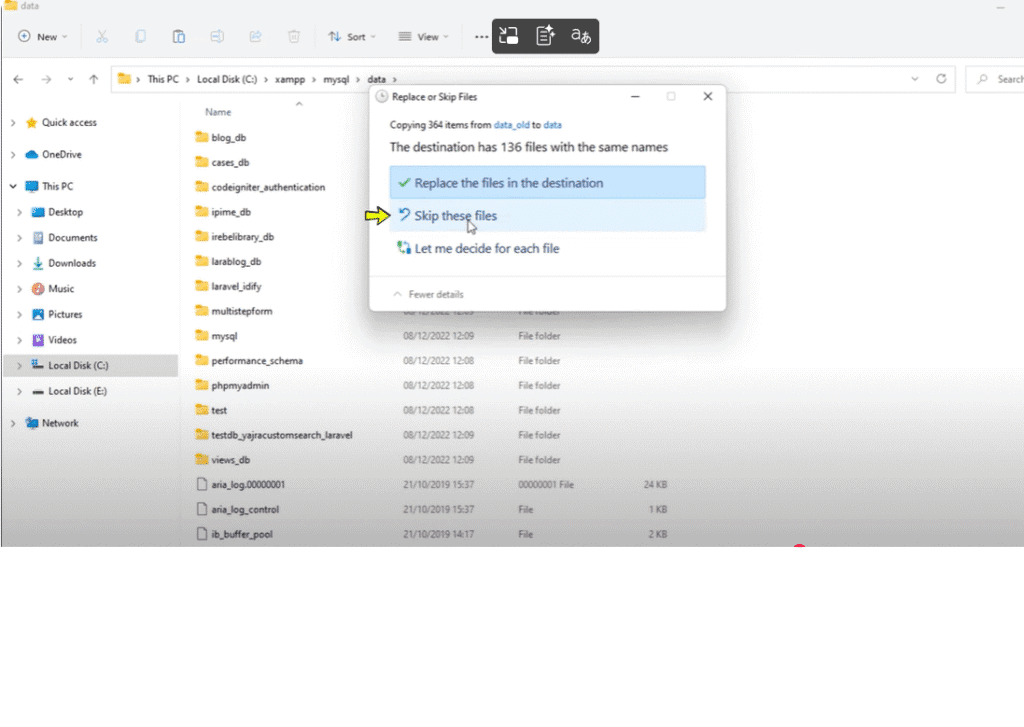
so we are done
Final Step
Let’s test
start Apache and start my sequel
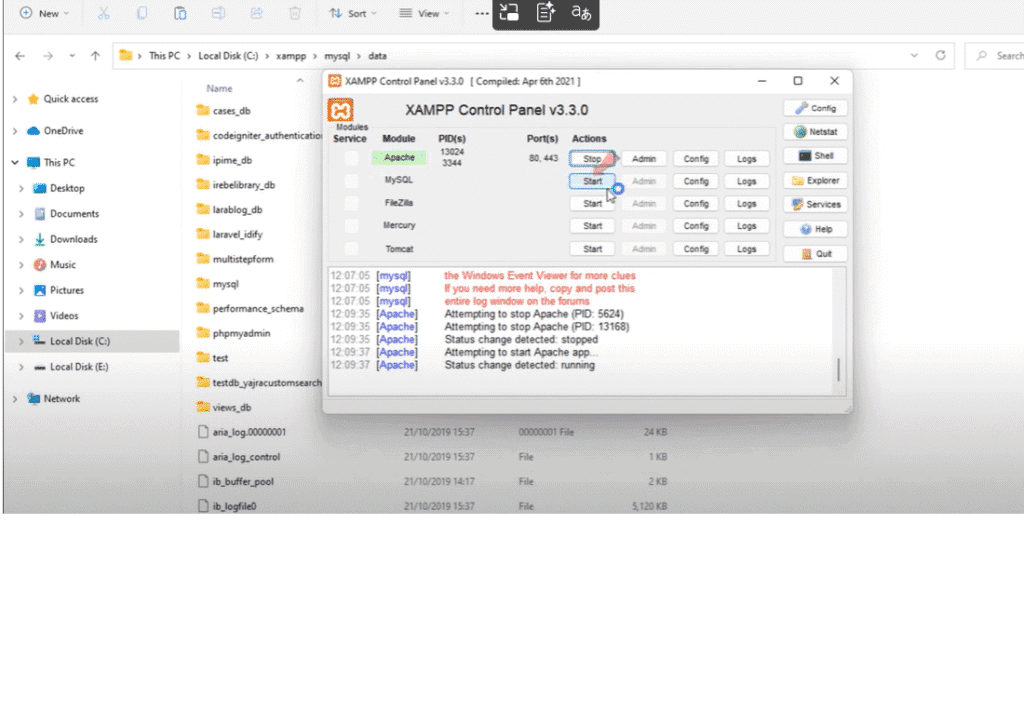
as you can see we don’t have any error and phpmyadmin works perfectly
do the same process every time you get the MySQL shutdown unexpectedly error
Pingback: 5 Easy steps to make a website - No Coding Needed